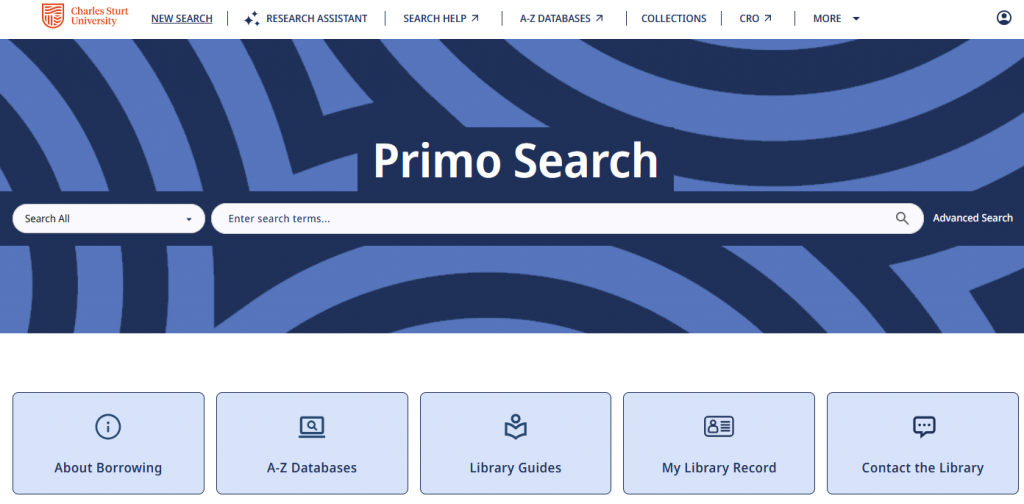
If you’ve searched the library recently, you may have noticed that things look a little different.
Our library search tool, Primo Search, has a fresh new look, with a cleaner design and an improved experience across desktop, tablet, and mobile devices. While the appearance has changed, you’ll still use it in the same way to find books, ebooks, journal articles, streaming videos, and other library resources.
What’s changed?
The updated search experience has been designed to make it easier to find what you’re looking for. Some of the improvements include:
- A cleaner, more modern layout
- Better accessibility features
- Smarter ways to discover related resources and explore your topic
You’ll still be able to:
- Search the library’s collections in one place
- Filter your results to quickly find what you need
- Access online resources
- Check availability of print items
- Log in to save favourites and manage your library account
We’d love your feedback
Is there something you really like? Did you find a feature that’s made studying a little easier? Or is there something that could be improved?
Your feedback helps us understand what’s working well and where we can provide additional guidance or support. Look for the  Provide feedback button on any Primo page and let us know your thoughts.
Haven’t explored it yet?
The next time you’re looking for resources for an assignment, take a few minutes to try the updated search. Although it has a new look, it still offers the same powerful search across the library’s collections.
Need a bit of help?
More information on the new interface can be found in our updated Library Guide Primo Search Help. If you need further assistance, Contact the Library and call, email or chat with a librarian.
Discover more from Charles Sturt University Library Blog
Subscribe to get the latest posts sent to your email.